
What Is AI Automation? Complete Guide for Beginners (2026)
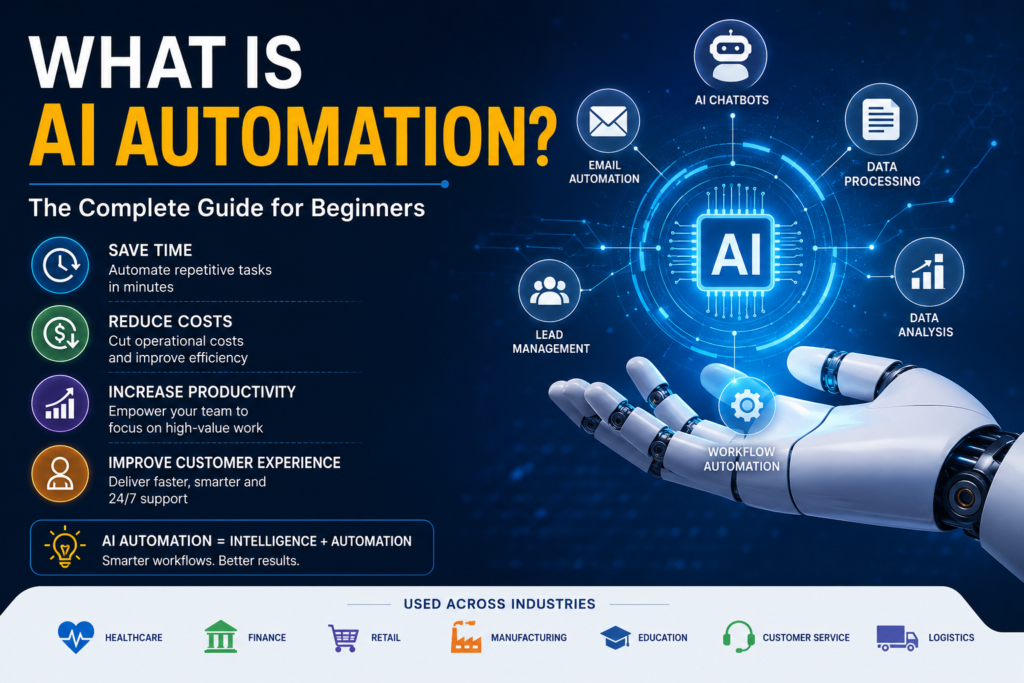
What Is AI Automation? The Complete Beginner’as Guide to How It Works, Its Benefits, and Business Applications
AI automation is the use of artificial intelligence to perform tasks, analyze data, and run workflows with minimal human involvement — and, unlike traditional automation, it learns from data and improves over time instead of just following fixed rules.
By 2026, AI has moved from experiment to infrastructure: <cite index=”10-1″>88% of organizations report using AI in at least one business function</cite>, according to McKinsey’s State of AI survey. This guide breaks down what AI automation actually means, how it works, where it delivers the most value, and how to start using it — whether you’re running a five-person team or a global enterprise.
What Is AI Automation? (Quick Definition)
AI automation combines artificial intelligence with automated workflows so systems can complete tasks, make decisions, and adapt without step-by-step human instructions.
Traditional automation is a calculator: it always follows the same formula, no matter the input. AI automation is closer to an experienced employee — it learns from patterns, understands context, and adjusts its approach as conditions change. That distinction is what lets AI automation handle judgment calls (which support ticket is urgent, which lead is worth pursuing) that rule-based automation simply can’t.
Healthcare, finance, retail, education, manufacturing, and customer service teams all now rely on AI automation to cut costs, reduce manual errors, and respond to customers faster.
Why Is AI Automation Growing So Fast?
AI automation is scaling quickly because businesses are under pressure to do more with leaner teams, and AI now handles repetitive, data-heavy work more accurately and far faster than manual processes.
Common pressures pushing adoption include:
- Repetitive manual work that eats up staff hours
- Rising labor costs
- Human error in data entry and processing
- Slow customer support response times
- Inefficient, disconnected workflows
- Growing volumes of unstructured data
- Competitive pressure from faster-moving rivals
Adoption isn’t limited to large enterprises anymore. <cite index=”5-1″>SMB adoption of AI automation jumped from 22% in 2024 to 38% in 2026</cite>, and <cite index=”5-1″>businesses using AI automation report an average 35% reduction in operational costs</cite>. As tools get cheaper and more no-code platforms appear, even small teams can automate work that once required a dedicated department.
How Does AI Automation Work?
AI automation works by combining several underlying technologies — machine learning, natural language processing, computer vision, and robotic process automation — so systems can both understand information and act on it.
Machine Learning
Machine learning lets a system learn from historical data and improve its predictions without being explicitly reprogrammed for every scenario.
Example: A sales platform learns from past deals which leads are statistically most likely to convert, then ranks new leads automatically.
Natural Language Processing (NLP)
NLP allows AI to understand, interpret, and generate human language — the technology behind:
- Chatbots and virtual assistants
- AI email drafting tools
- Voice assistants
- Automated document summarization
Computer Vision
Computer vision lets AI interpret images and video, which businesses apply to:
- Quality inspection on production lines
- Facial recognition for security
- Medical imaging analysis
- Warehouse and inventory automation
Robotic Process Automation (RPA)
RPA automates repetitive digital tasks — copying data between systems, generating invoices, updating spreadsheets, processing applications. On its own, RPA just follows scripted steps. Paired with AI, it can handle exceptions and make context-aware decisions instead of breaking when something unexpected happens.
AI Automation vs. Traditional Automation: What’s the Difference?
The core difference is that traditional automation follows fixed, pre-programmed rules, while AI automation learns from data and adapts its behavior over time.
| Traditional Automation | AI Automation |
|---|---|
| Rule-based | Learns from data |
| Fixed workflow | Adaptive workflow |
| Cannot make judgment calls | Can make context-aware decisions |
| Limited flexibility | Highly flexible |
| Needs manual updates when rules change | Improves automatically over time |
| Best for simple, repetitive tasks | Best for complex, variable tasks |
If your task always looks exactly the same, traditional automation is often cheaper and simpler. If the task involves judgment, unstructured data, or exceptions, AI automation is the better fit.
What Business Problems Does AI Automation Solve?
AI automation solves the operational drag caused by repetitive manual work, slow response times, inconsistent data handling, and rising labor costs.
Employees losing hours to repetitive work. Teams spend hours on data entry, email replies, and CRM updates. AI automation takes over the repeatable parts of that work so staff can focus on higher-value tasks.
Slow customer service. Customers expect near-instant answers, but staffing a 24/7 support team is expensive. AI chatbots resolve common questions immediately — and the cost gap is significant: <cite index=”1-1″>AI handles a customer interaction for roughly $0.50–$0.70, compared to $6–$8 for a human agent</cite>.
Human error. Manual processes create incorrect invoices, duplicate records, and missed appointments. AI automation performs repetitive steps the same way every time, cutting down on these mistakes.
High operational costs. Adding headcount to handle growing workloads is expensive. Automating the repeatable parts of that workload increases capacity without proportional cost increases.
Data that goes unused. Companies collect more data than they can manually analyze. AI can process that data in seconds and surface insights that inform faster decisions.
What Are the Benefits of AI Automation?
The core benefits of AI automation are time savings, lower costs, fewer errors, and the ability to operate around the clock without added headcount.
- Saves time — tasks that took hours now take minutes.
- Reduces costs — less manual labor spent on repeatable work.
- Improves accuracy — fewer mistakes from fatigue or inconsistency.
- Increases productivity — staff shift toward strategy and relationship-building.
- Runs 24/7 — AI systems monitor, respond, and process requests continuously.
- Improves customer experience — faster, more personalized responses.
- Scales without linear cost — handling 100,000 requests doesn’t require 1,000x the staff.
The financial case is increasingly well-documented: businesses adopting AI automation report an average <cite index=”5-1″>250% ROI within the first 18 months</cite>, and one industry analysis found companies see roughly <cite index=”4-1″>$3.70 returned for every $1 spent on generative AI</cite>.
Real-World Examples of AI Automation by Department
AI automation already shows up across nearly every business function:
- Customer support: chatbots answer FAQs, process refunds, and schedule appointments. This is the leading use case — <cite index=”1-1″>customer service leads department adoption, and AI already handles roughly 30% of customer interactions, a share projected to reach 50% by 2027</cite>.
- Marketing: automated email campaigns, content drafting, audience segmentation, and ad optimization.
- Sales: lead scoring, meeting scheduling, proposal generation, and automated follow-ups.
- HR: resume screening, interview scheduling, and employee onboarding.
- Finance: fraud detection, loan-approval workflows, transaction monitoring, and reporting.
- Healthcare: appointment booking, medical image analysis, patient reminders, and diagnosis support.
- Manufacturing: predictive maintenance, automated inspection, and production optimization.
Which Industries Use AI Automation Most?
Nearly every industry uses some form of AI automation today, but adoption is deepest in customer-facing and data-intensive sectors like financial services, healthcare, retail, and technology.
Industries actively using AI automation include: Healthcare, Banking and Financial Services, Insurance, Retail and E-commerce, Manufacturing, Education, Logistics, Marketing, Real Estate, Hospitality, Telecommunications, Government, Legal Services, and Human Resources.
Financial services stands out for high-stakes, high-volume use cases — <cite index=”9-1″>roughly 47% of banking and insurance organizations already run AI agents in production</cite>, mainly for fraud detection and document processing.
Popular AI Automation Tools
The right tool depends on what you’re automating — conversation, workflow orchestration, or document processing all call for different platforms.
- Conversational AI: ChatGPT, Claude, Google Gemini, Microsoft Copilot
- Workflow automation / no-code: Zapier AI, Make, n8n
- Enterprise RPA: UiPath, Automation Anywhere
- Embedded business AI: HubSpot AI, Salesforce Einstein, Notion AI
Most companies don’t rely on a single tool — they combine a few platforms to cover different parts of the workflow (e.g., a chatbot for support, a CRM AI feature for lead scoring, and an RPA tool for back-office processing).
Is AI Automation Expensive?
Cost depends heavily on scale and complexity — small businesses can start with a low monthly subscription, while enterprise deployments may require custom development and integration work.
- Small businesses: Simple automations often run on affordable no-code subscriptions.
- Mid-sized businesses: Companies typically combine several AI tools across sales, marketing, and support.
- Large enterprises: Custom development, system integrations, and dedicated infrastructure raise costs but also unlock deeper automation.
Even with upfront investment, most businesses recover costs quickly — the average reported operational cost reduction from AI automation is around <cite index=”5-1″>35% in the first year</cite>.
Can Small Businesses Use AI Automation?
Yes — AI automation is no longer reserved for large corporations, and no-code platforms make it accessible without any programming background.
Small businesses commonly automate:
- Appointment scheduling
- Customer support
- Email marketing
- Invoice generation
- Lead qualification
- CRM updates
- Social media posting
- Content drafting
What Are the Challenges of AI Automation?
The biggest challenges are implementation cost, data quality, integration with existing systems, and the risk of inaccurate AI outputs without human oversight.
Common obstacles include:
- Upfront implementation costs
- Employee training and change management
- Data privacy and compliance concerns
- Integration friction with legacy systems
- Inaccurate or inconsistent AI outputs
- Need for ongoing monitoring and adjustment
Cost remains the top barrier for smaller companies specifically — <cite index=”8-1″>61% of SMBs cite cost as their primary obstacle to AI adoption, followed by lack of in-house expertise and data quality issues</cite>. Successful automation projects tend to start with clear goals, clean data, and a human reviewing outputs — not a full hands-off rollout.
How to Get Started with AI Automation
- Identify repetitive tasks in your business that follow a predictable pattern.
- Document the current workflow step by step.
- Choose the right tool for that specific task (not the flashiest one).
- Start with one process rather than automating everything at once.
- Test and refine before expanding.
- Measure time and cost savings to validate the investment.
- Expand gradually to adjacent workflows once the first automation is stable.
Starting narrow reduces risk and gives your team room to adapt before scaling up.
The Future of AI Automation
AI automation is moving toward more autonomous, multi-step systems rather than single-task tools — a shift often called agentic AI.
Emerging trends to watch:
- Autonomous AI agents that complete multi-step tasks with minimal supervision — Gartner projects <cite index=”6-1″>40% of enterprise applications will include task-specific AI agents by the end of 2026, up from under 5% in 2025</cite>.
- Voice-controlled business workflows
- Hyperautomation that combines AI, RPA, and analytics into a single pipeline
- Predictive decision-making powered by machine learning
- Personalized customer experiences delivered at scale
- Broader use of generative AI in day-to-day business operations
Businesses that adopt AI automation deliberately — starting small, measuring results, and scaling what works — are best positioned to benefit as these tools mature.
Frequently Asked Questions About AI Automation
What is AI automation in simple words?
AI automation uses artificial intelligence to perform tasks and make decisions automatically, reducing the need for manual work.
How is AI automation different from traditional automation?
Traditional automation follows fixed, predefined rules. AI automation learns from data, adapts to new situations, and can make context-aware decisions instead of just executing a script.
What are some examples of AI automation?
Common examples include AI chatbots, automated email responses, invoice processing, predictive maintenance, fraud detection, lead scoring, and end-to-end workflow automation.
Can AI automation replace human workers?
AI automation is best suited to repetitive, data-driven tasks. In most cases it complements human workers by taking on routine work, freeing people for creative, strategic, and interpersonal responsibilities rather than replacing them outright.
Is AI automation suitable for small businesses?
Yes. Affordable no-code AI automation tools let small businesses automate customer support, marketing, scheduling, and administrative tasks without a technical team.
What skills are needed to use AI automation?
Basic digital literacy is usually enough for no-code platforms. More advanced, custom implementations may require knowledge of workflow design, data management, or APIs.
Conclusion
AI automation combines artificial intelligence with workflow automation so tasks get done faster, more accurately, and with less manual oversight. From customer support and marketing to fraud detection and predictive maintenance, it’s already delivering measurable savings — reduced costs, fewer errors, and faster response times — across businesses of every size.
Whether you’re automating your first workflow or modernizing enterprise operations, the businesses gaining the most ground are the ones starting with one clear, well-defined process and expanding from there.
SEO / AEO Implementation Notes
Suggested internal links:
- Best AI Automation Tools (comparison guide)
- How to Build AI Workflows (tutorial)
- AI Agents vs. AI Automation (explainer)
- Business Process Automation Guide
- Generative AI vs. Traditional AI
- AI Automation for Small Businesses (dedicated SMB guide)

SYSTEM READY // AUTOMATION QUEUE: OPEN
Ready to put this into practice?
Get a free AI automation audit of your workflows, tools, and growth opportunities.
[ RUN_AUDIT() ]